Virtual try-on
Let shoppers see it before they ask again.
For eligible wearable products, Omni can offer a quiet try-on flow inside the chat widget. The shopper takes or uploads one photo, gets an AI preview on a neutral studio background, and stays in the buying conversation.
Fit hesitation is often a support question in disguise.
Shoppers do not always need another size chart. Sometimes they want to know whether the shape, colour or style feels right on them before they commit.
Virtual try-on keeps that moment inside the same assistant that already knows the product page, the catalogue and the conversation. It is a preview tool, not a sizing promise, and it only appears where the merchant has clearly enabled it.
The shopper sees the product, then themselves wearing it.
The flow stays inside Omni: product reference, camera or upload, guided capture, and the AI preview in one continuous surface.
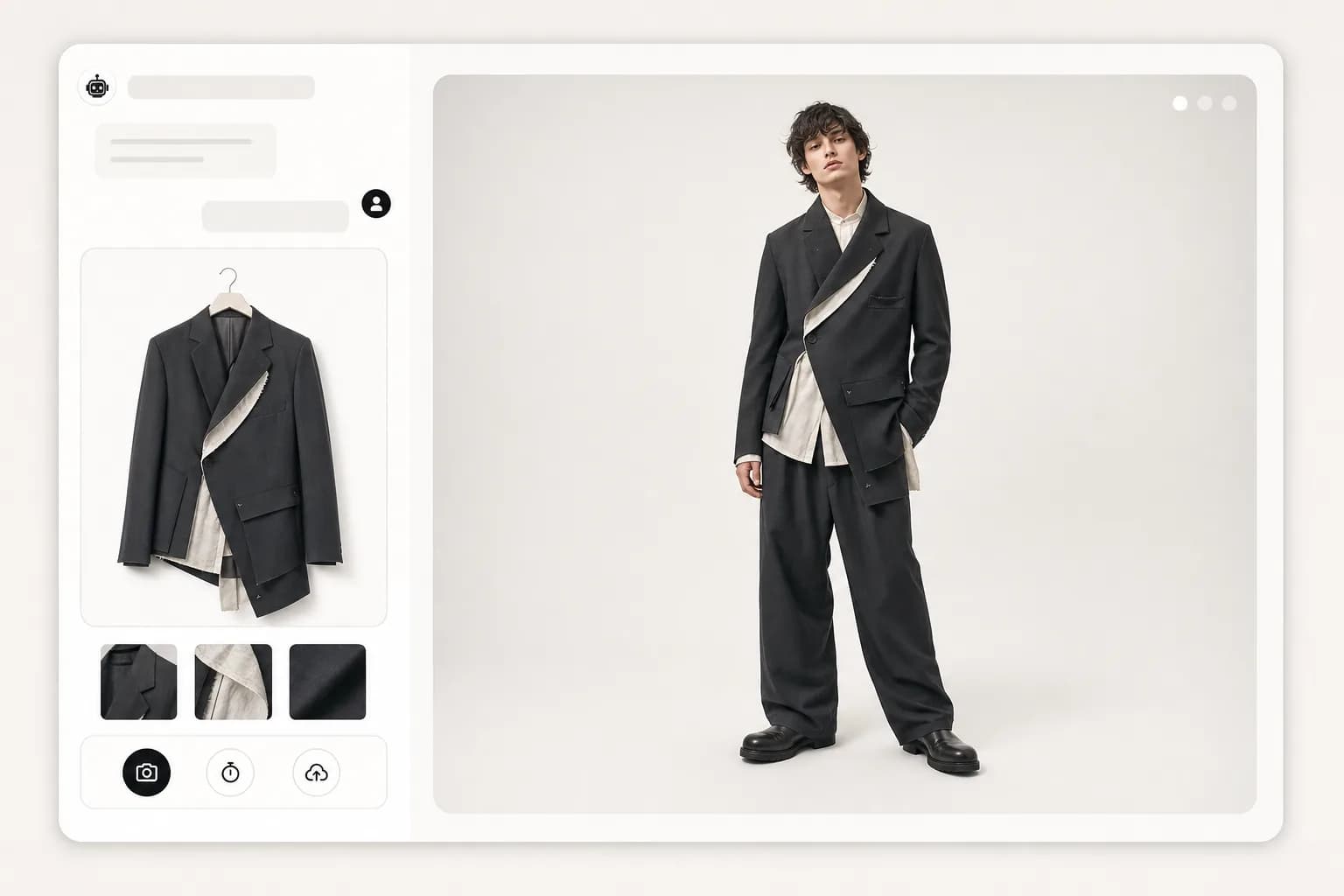
A careful preview flow, inside chat.
Page-aware offer
Omni only offers try-on when the shopper is looking at an eligible product with a name, image and merchant-approved wearable metadata.
Chat and voice handoff
Text chat can show a button, and active voice mode can offer it once. Voice never starts automatically just to sell the feature.
Camera or upload
On laptop or phone, the shopper can use the camera or upload a clear single-person photo. Camera tracks stop after capture.
One consistent preview
Every preview runs the same high-fidelity image model with two references, the shopper photo and the product image, so results stay recognisably the same person.
Privacy-first storage
The original shopper photo is processed for the preview and not saved in chat history. The preview link expires after about an hour and is only shared privately with the shopper.
Internal shop aware
Products shown inside the chat shop can open the same try-on flow, so browsing and previewing stay connected.
No random popups, no hardcoded dresses.
Try-on appears only after the merchant opts in and configures which product metadata should count as wearable.
Merchant-controlled matching
Eligibility reads configured tags, categories, collections and product metadata. Production logic does not assume a specific product type.
Quiet when uncertain
Home pages, carts, checkouts, missing product images and non-matching products stay quiet. The assistant can still answer normal product questions.
Server checks again
The API re-runs eligibility before generation, so a client-side nudge cannot force a try-on for an ineligible product.
A preview that helps, without pretending to fit.
The generated image aims to preserve the shopper's face, pose and proportions while replacing only the relevant clothing area.
Neutral studio background
The trial uses a plain, naturally lit white or light grey studio backdrop so the product is easy to judge.
Garment detail preserved
The prompt asks the model to preserve colour, silhouette, pattern, texture and visible garment details from the product image.
Clear disclaimer
Every result says it is an AI preview only and not a sizing or fit guarantee.
One useful step, then the preview.
Offer appears
The widget recognises an eligible product page or internal shop product and shows a small try-on action.
Photo is captured
The shopper takes or uploads a single-person photo. Laptop users can step back and use a short timer.
Preview returns
Omni generates the AI preview, shows the disclaimer, and lets the shopper save, retake or delete it.
Before you try it.
Is this live for every merchant?
No. It is an opt-in trial. A merchant must enable virtual try-on and configure eligible wearable product metadata before shoppers see it.
Does the system store the customer's original photo?
No. The original shopper photo is processed for the preview and is not stored in chat history. The generated preview link expires after about an hour and is only shared privately with the shopper.
Does it guarantee sizing or fit?
No. The preview helps with style and visual confidence, but it is not a sizing, measurement or fit guarantee.
Can the assistant offer it in voice mode?
Yes, but only when voice is already active and only once for an eligible item. It does not start voice or camera by itself.
What products does it work for?
The trial is for merchant-approved wearable products with a usable product image. It is not shown for unclear product pages or non-wearable products.
Free trial
Give shoppers a better way to decide.
14-day free trial, no contract. Virtual try-on stays opt-in and merchant controlled. Enable it for clear wearable products, keep the privacy wording honest, and see whether it helps shoppers move from hesitation to checkout.