Creative Studio
Your product, in the shot you never took.
The Studio is a canvas where your catalogue, your brand and ten photographic looks meet. Type @ and your store's products appear. Pick one, describe the scene, and the image is built around your actual product, ready in about a minute.
Good visuals sell. Getting them made is the bottleneck.
A new product needs images. A campaign needs a banner. A social post needs something that does not look thrown together. Each one is a small job that waits on a designer, a brief, a round of edits, and by the time it lands the moment has often passed.
The Studio starts from what you already have: the products in your store and the brand on your site. You describe the shot you wish you had and get it back in about a minute, so trying an idea costs nothing and the moment never passes you by.
Your product, in the shot you never took.
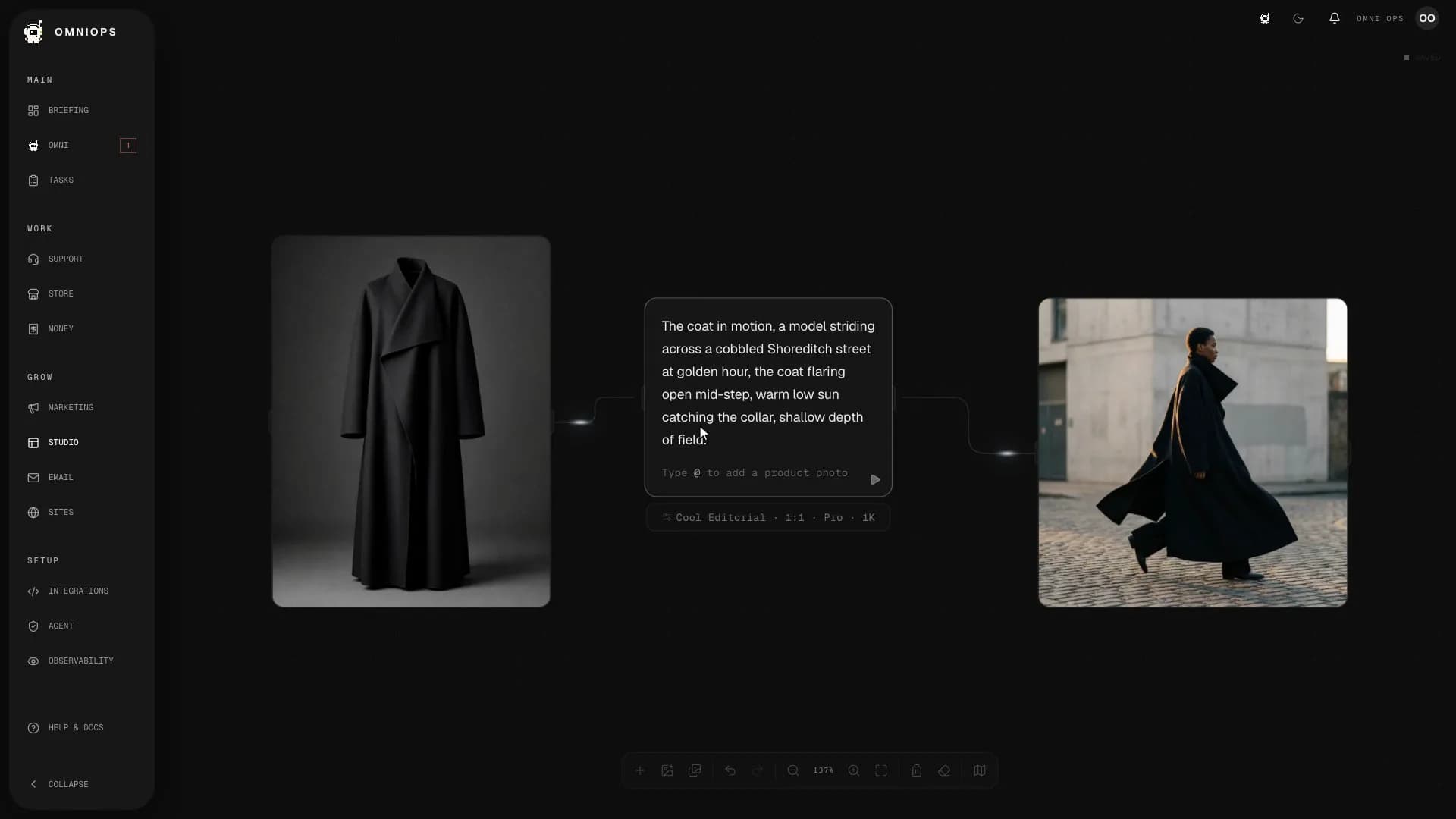
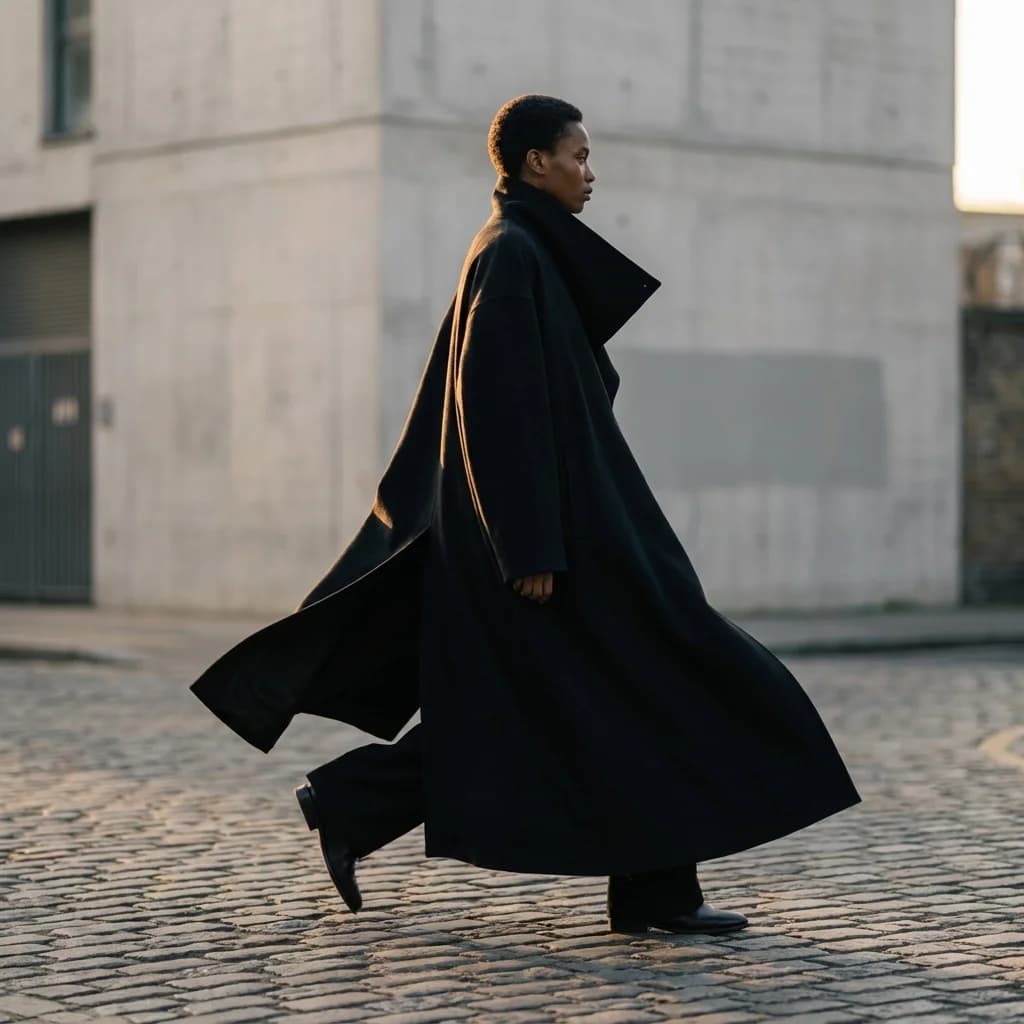
Type @ and your store's catalogue appears. Pick the product, describe the scene, and Studio builds the shot around it. This film is a real session, recorded straight off the live product, and the image at the end is the image it made.
More studio than most studios.
Your catalogue, one @ away
Type @ in any prompt and your store's products appear, thumbnails, names and SKUs. Pick one and it docks onto the canvas as the reference. No uploads, no dragging files in.
Ten photographic looks
Cool Editorial, Clean Studio, Warm Film, Tungsten Nocturne, Anamorphic Cinema and five more. Each pins a real camera, lens and lighting plan, so results read like photography, not filters.
A canvas, not a form
Prompts, products and results sit side by side as connected cards. You can see how every image was made, branch a new direction from it, and compare takes next to each other.
Sharp enough for anywhere
Generate at 1K for speed or up to 4K for hero banners and print, in the shape each channel needs, square, portrait or wide.
A creative director to talk to
Stuck on direction? Talk it through and Omni pushes your ideas on composition, mood and references before a single image is made.
One library, web and pocket
Everything lands in a searchable library, and the Studio's create, assets and brand rooms travel with you in the iPhone app.
Your product, on the canvas in one keystroke.
The Studio is a workspace, not a text box. Products, prompts and results are cards wired together on a canvas, so you can always see how an image was made and take it further.
Type @, pick a product
Your live catalogue appears inside the prompt. Choose the coat and its photo docks beside your brief as the reference.
Built around the real thing
Generation starts from your actual product photo, so what comes back is your product in a new scene, not a lookalike.
Ten directions before lunch
Every result sits beside the brief that made it. Change one line, run it again, keep the take that works.
Ten looks, each a real photographic language.
Every look pins a named camera, a lens, a lighting plan and a grade. You choose the mood; the look holds the craft steady underneath it.
From packshot to cinema
Clean Studio for true-colour listings. Hard-Shadow Gradient for graphic campaigns. Anamorphic Cinema when a launch deserves drama.
Consistent across a set
The same look over a whole batch, so a category page reads like one shoot rather than ten.
Built for product truth
The listing looks hold colour accurate with protected highlights, so the fabric your customer sees is the fabric you sell.
The Studio, wherever the idea lands.
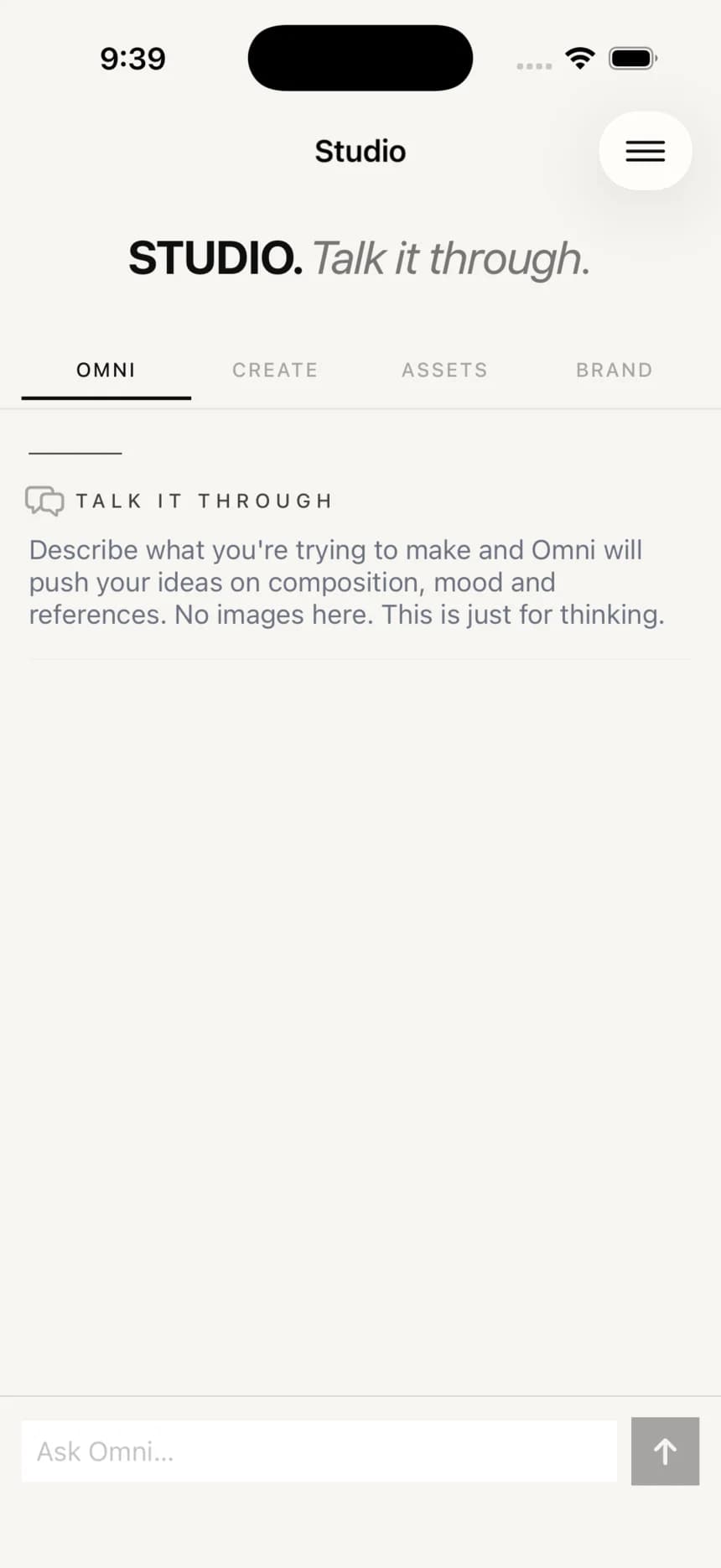
The iPhone app carries the Studio with you: talk a direction through with Omni, make and browse images, and keep your brand close.
Talk it through
The Studio's Omni room is for thinking: push an idea on composition, mood and references before you make anything.
Create and browse anywhere
Make images and flick through your library from the sofa or the stockroom, and pick the work back up at your desk.
Your brand, on hand
The brand room keeps your look with you, so anything you make away from the desk still fits the shop.
Describe it, and it is ready.
OmniOps learns your look
It reads your website to pick up your colours, type and feel, so what it makes sits next to your existing work.
Type @ and pick the product
Your store's catalogue appears inside the prompt. The product you choose becomes the reference the image is built around.
Describe the shot
The scene, the light, the mood, in plain words. Pick one of the ten looks or let the default carry it.
Ready in about a minute
The image lands on the canvas and in your library, on the web and in the iPhone app, ready to use or run again.
Before you try it.
Can it use my real product photos?
Yes, that is the default way to work. Type @ and pick a product from your connected store; the image is built around your product's photo, so the output is your product, not a lookalike.
Do I need design skills to use it?
No. You describe what you want in plain words and OmniOps makes it. You can refine by describing changes, not by editing pixels.
How does it know my brand?
It reads your website to learn your colours, type and feel, and carries that into what it generates, so the output looks like your shop.
What sizes can it make?
1K, 2K or 4K, in square, portrait and wide shapes, so the same idea works as a listing image, a story and a hero banner.
Does it do video?
Yes. The studio can make short, brand-fit video as well as still images, kept in the same library.
Where do my assets go?
Everything you make is saved to a searchable library you can reuse, on the web and in the companion app.
Founding places
Stop waiting on the creative. Describe it and go.
Set-up on your own site is included. Connect your store and start creating on-brand visuals.